PcComponentes
Il mio account
producto
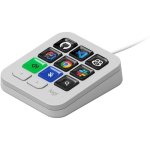
  • Tastiera Logitech MX Keypad programmabile 9 tasti LCD profili IDE Graphite
    • Tastiera Logitech MX Keypad programmabile 9 tasti LCD profili IDE Graphite
  • Tastiera Logitech MX Keypad programmabile 9 tasti LCD profili IDE Graphite
  • Tastiera Logitech MX Keypad programmabile 9 tasti LCD profili IDE Graphite
  • Tastiera Logitech MX Keypad programmabile 9 tasti LCD profili IDE Graphite
  • Tastiera Logitech MX Keypad programmabile 9 tasti LCD profili IDE Graphite
  • Tastiera Logitech MX Keypad programmabile 9 tasti LCD profili IDE Graphite
  • Tastiera Logitech MX Keypad programmabile 9 tasti LCD profili IDE Graphite
  • Tastiera Logitech MX Keypad programmabile 9 tasti LCD profili IDE Graphite
  • Tastiera Logitech MX Keypad programmabile 9 tasti LCD profili IDE Graphite
  • Tastiera Logitech MX Keypad programmabile 9 tasti LCD profili IDE Graphite
caricamento immagini ...
P/N: 920-013891 | Cod. Articolo: 11171683

Tastiera Logitech MX Keypad programmabile 9 tasti LCD profili IDE Graphite

99,99
P/N: 920-013891 | Cod. Articolo: 11171683
Il più eccezionale
  • Tastiera macro programmabile con 9 tasti LCD
  • Profili intelligenti per IDE e applicazioni
  • Compatibile con Windows 10+ e macOS 13+
  • Personalizzazione tramite Logi Options+
  • Automatizza attività ripetitive
  • Design compatto e leggero con supporto ergonomico
99,99
Garanzia di soluzione entro 24h
Gratuito
Articoli simili
99,99
Caratteristiche
Recensioni17
Domande e risposte0
Comparati
Sul prodotto
Questo dispositivo viene fornito senza adattatore di alimentazione in conformità alla Direttiva Europea 2022/2380. È possibile acquistarlo separatamente.

Migliora la tua produttività con la Tastiera Logitech MX Keypad, un pad macro programmabile per sviluppatori esigenti.

Caratteristiche Tastiera Logitech MX Keypad

Il MX Keypad offre un'interfaccia intuitiva con 9 tasti LCD personalizzabili, ideali per accedere rapidamente a comandi complessi, script e macro. Grazie ai profili intelligenti che rilevano automaticamente l'applicazione attiva, adatta le sue funzioni per VS Code, IntelliJ, GitHub Copilot e altro, riducendo le interruzioni e migliorando la concentrazione. La connettività USB-C e la compatibilità multipiattaforma (Windows 10+ e macOS 13+) garantiscono un'integrazione fluida in ogni ambiente di lavoro. La personalizzazione drag & drop consente di creare macro, organizzare profili multi-pagina ed esplorare la libreria Logi Marketplace per estendere le funzionalità. Questo pad è un potente alleato per automatizzare attività ripetitive, accelerare la navigazione nel codice e integrare l'intelligenza artificiale tramite scorciatoie dedicate. Il design compatto e leggero, accompagnato da un supporto ergonomico, assicura comfort durante lunghe sessioni di programmazione. Il MX Keypad è lo strumento ideale per sviluppatori full-stack e ingegneri software che vogliono massimizzare efficienza e fluidità nel lavoro.

Specifiche Tastiera Logitech MX Keypad

SpecificheDettaglio
Numero tasti9 tasti LCD personalizzabili
ConnettivitàUSB-C 2.0
CompatibilitàWindows 10 o superiore, macOS 13 o superiore
Dimensioni (pad)91,7 x 77,9 x 25,5 mm
Peso (pad)96 g
Supporto inclusoDimensioni: 112,7 x 58,5 x 20,5 mm, peso: 61 g
Lunghezza cavo1500 mm
SoftwareLogi Options+ (Windows/macOS)
Garanzia2 anni limitata

FAQs - Tastiera Logitech MX Keypad

A cosa serve il MX Keypad?
Permette di automatizzare e accedere rapidamente a comandi complessi, macro e script, ottimizzando il flusso di lavoro degli sviluppatori.

Come si personalizzano i tasti?
Attraverso un'interfaccia drag & drop nell'app Logi Options+, puoi creare profili, macro e scorciatoie su misura.

È compatibile con tutti i sistemi?
Sì, funziona perfettamente su Windows 10 e versioni successive e macOS 13 e versioni successive.

Quali vantaggi offre il rilevamento del contesto?
I tasti si adattano automaticamente all'applicazione attiva, riducendo le interruzioni e aumentando la produttività.

Sicurezza del prodotto

Opinioni

4.8
17 Recensioni
100%
Raccomandano17 Raccomandazioni
  • 5
    14
  • 4
    3
  • 3
    0
  • 2
    0
  • 1
    0

Scrivi la tua recensione

Ti ci vorrà un minuto, aiuterai gli altri utenti a decidere.

Opinioni degli utenti

Totale 17 Recensioni

Dagli altri paesi

S
SteffenK
8 giorni fa
Eine Klasse Unterstützung für Entwickler und Anwender [Diese Bewertung wurde im Rahmen einer Sonderaktion abgegeben.] Das Logitech MX Keypad ist ein Steuerungs Hub, mit dem man sofortigen Zugriff auf Apsp, Dokumente und komplexe Befehle sofort ausführen kann. Die 9 anpassbaren LCD Tasten lassen si...
Recensione pubblicata originariamente su Logitech-de
m
ms_hijabi_7022
5 giorni fa
Recommend [This review was collected as part of a promotion.] Absolutely love this MX Keypad by Logitech, for someone who mainly works from home, this is so convenient, it’s really easy to use. This literally took me 5 minutes to connect and set up, you can customise the keypad to whatever shortcu...
Recensione pubblicata originariamente su Logitech-emea
S
SzymonS
11 giorni fa
Versatility in a small and smart looking package [This review was collected as part of a promotion.] Versitale product that can be used for simply navigating your pc system, used for creative tasks like video editing in davinci resolve or you can create custom shortcuts for anything you want. Real...
Recensione pubblicata originariamente su Logitech-emea
A
AshleighP
12 giorni fa
Amazing bit of kit! [This review was collected as part of a promotion.] What a fantastic product to have on my desk! This MX Keypad looks stylish and sleek in my home office setup and sits naturally next to my keyboard and laptop with connected screens. I love the fact it is completely customisabl...
Recensione pubblicata originariamente su Logitech-emea
J
JasmineY
13 giorni fa
Usefull [This review was collected as part of a promotion.] I have only recently started using it but so far I am really happy with it.The design is simple and stylish and I really like the graphite colour.The keys feel nice to press.
Recensione pubblicata originariamente su Logitech-emea
S
SundasM
6 giorni fa
Must have [This review was collected as part of a promotion.] Very easy to setup and use easy to connect with the key board and i relaly liek the deatires easy to use and its cery intelligent device as it really make our moves wotk very quickly instead of open the whole files easy to use aetu...
Recensione pubblicata originariamente su Logitech-emea
A
ArpitM
7 giorni fa
Premium customisable keypad that puts your favourite shortcuts at your fingertips and makes every day workflows quicker [This review was collected as part of a promotion.] I have recently started using the Logitech MX keypad and my first impression is very positive. Set was straightforward and I r...
Recensione pubblicata originariamente su Logitech-emea
A
AlinaR
7 giorni fa
Perfect little help [This review was collected as part of a promotion.] Feels like Christmas when i receive a new toy to help me out. Light and small with an amazing technology that help save time and facilitate the computer work
Recensione pubblicata originariamente su Logitech-emea
A
ArpitM
Recensione in evidenza
7 giorni fa
Premium customisable keypad that puts your favourite shortcuts at your fingertips and makes every day workflows quicker [This review was collected as part of a promotion.] I have recently started using the Logitech MX keypad and my first impression is very positive. Set was straightforward and I r...
Recensione pubblicata originariamente su Logitech-emea
m
ms_hijabi_7022
5 giorni fa
Recommend [This review was collected as part of a promotion.] Absolutely love this MX Keypad by Logitech, for someone who mainly works from home, this is so convenient, it’s really easy to use. This literally took me 5 minutes to connect and set up, you can customise the keypad to whatever shortcu...
Recensione pubblicata originariamente su Logitech-emea
S
SzymonS
11 giorni fa
Versatility in a small and smart looking package [This review was collected as part of a promotion.] Versitale product that can be used for simply navigating your pc system, used for creative tasks like video editing in davinci resolve or you can create custom shortcuts for anything you want. Real...
Recensione pubblicata originariamente su Logitech-emea
A
AlinaR
7 giorni fa
Perfect little help [This review was collected as part of a promotion.] Feels like Christmas when i receive a new toy to help me out. Light and small with an amazing technology that help save time and facilitate the computer work
Recensione pubblicata originariamente su Logitech-emea
S
SundasM
6 giorni fa
Must have [This review was collected as part of a promotion.] Very easy to setup and use easy to connect with the key board and i relaly liek the deatires easy to use and its cery intelligent device as it really make our moves wotk very quickly instead of open the whole files easy to use aetu...
Recensione pubblicata originariamente su Logitech-emea
A
AshleighP
12 giorni fa
Amazing bit of kit! [This review was collected as part of a promotion.] What a fantastic product to have on my desk! This MX Keypad looks stylish and sleek in my home office setup and sits naturally next to my keyboard and laptop with connected screens. I love the fact it is completely customisabl...
Recensione pubblicata originariamente su Logitech-emea
J
JasmineY
13 giorni fa
Usefull [This review was collected as part of a promotion.] I have only recently started using it but so far I am really happy with it.The design is simple and stylish and I really like the graphite colour.The keys feel nice to press.
Recensione pubblicata originariamente su Logitech-emea
Recensione verificata
"La nostra etichetta di "opinione verificata" garantisce che questa recensione appartenga allo stesso utente che ha effettuato l'acquisto del prodotto sul nostro sito web. Verifichiamo l'autenticità degli acquisti e delle relative recensioni, per assicurare che le opinioni etichettate in questo modo siano precise e affidabili."
Vedi più recensioni

Domande e risposte

Non ci sono domande al momento. Sii il primo!